If you’re planning a structured cabling system for a Texas office buildout — whether in Houston, Dallas, Austin, or San Antonio — it’s one of the few decisions you can’t reverse without tearing open walls. Get it right before construction closes, or pay for it twice.
This guide covers what facilities managers and IT directors need to understand before the first drop ceiling goes in.
What Is Structured Cabling (and Why “Just WiFi” Isn’t Enough)?
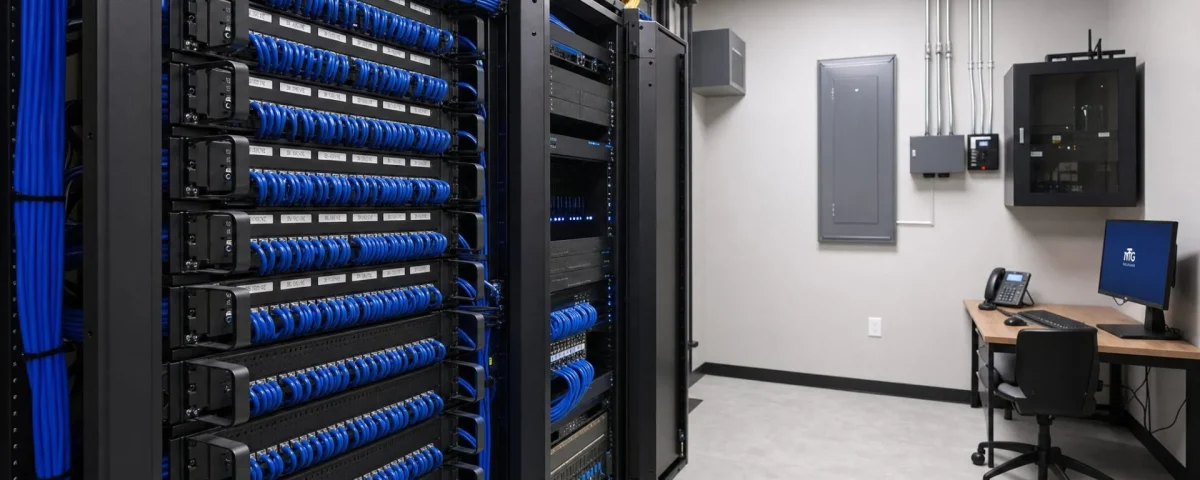
Structured cabling is the physical wiring infrastructure that connects your network equipment — switches, access points, phones, displays, and AV systems — to a central patch panel or data closet. It includes horizontal runs to workstations, vertical backbone cabling between floors, and the termination hardware in your telecom room.
Many organizations today assume that wireless covers everything. It doesn’t. High-density wireless requires wired access points at regular intervals — and those APs need a Cat6 drop to function. Video conferencing systems, digital signage displays, and AV equipment in conference rooms all perform better on wired connections. And for industries with compliance requirements (healthcare, legal, financial services), wired infrastructure is often non-negotiable.
WiFi complements structured cabling. It doesn’t replace it.
Cat6 vs. Cat6A vs. Fiber: Which Do You Need?
The right cable type depends on your building size, bandwidth requirements, and future-proofing goals.
Cat6: Supports 1 Gbps at up to 100 meters. Suitable for most standard office environments — workstations, desk phones, APs in smaller footprints. Cost-effective and widely available.
Cat6A: Supports 10 Gbps at up to 100 meters. The current best practice for new commercial builds. If you’re running 10-gigabit switching infrastructure — or plan to within the next five years — Cat6A is the right choice. The cable is thicker and requires more careful bend radius management, which affects labor cost and installation time.
Fiber (Single-Mode or Multi-Mode): Required for backbone runs over 100 meters, between floors, or between buildings. Also used in data-intensive environments where electromagnetic interference is a concern. Fiber is increasingly common in Houston’s Energy Corridor office buildings and in Dallas/Fort Worth corporate campuses with long horizontal distances.
For most Texas SMB and mid-market buildouts in 2026, Cat6A horizontal + fiber backbone is the right starting point.
How Many Drops Do You Actually Need?
The rule of thumb — “one drop per workstation” — undersizes most modern offices. Plan for:
- 2 drops per workstation if employees use docking stations (one for data, one spare or VoIP)
- 2–4 drops per conference room (video bar, room control panel, display, spare)
- 1–2 drops per wireless AP location (1 active, 1 spare)
- 1–2 drops per digital signage display
- Dedicated drops for security cameras, badge readers, and door controllers — never share these with general data runs
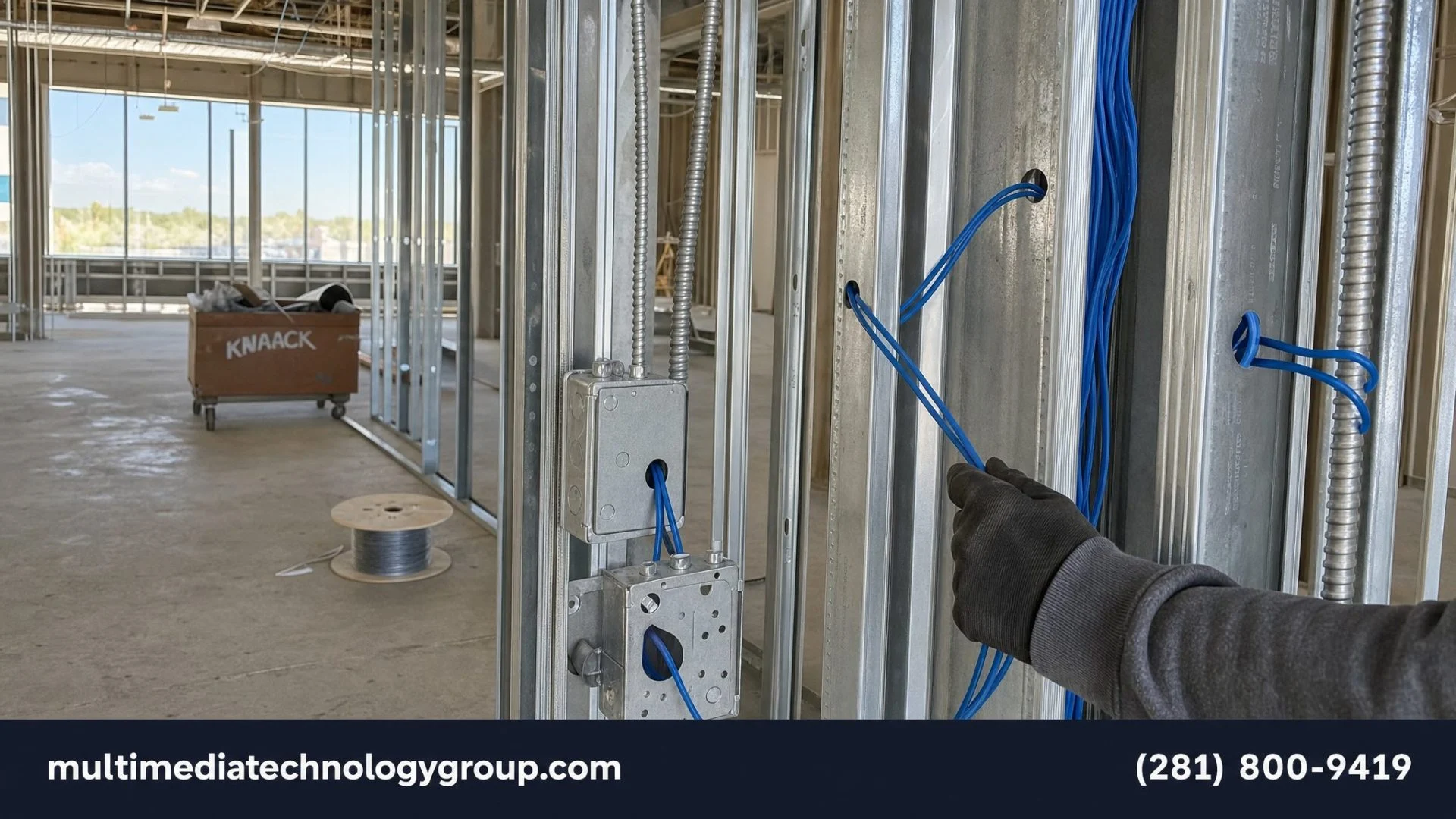
Underdropping a buildout is a common cost-saving mistake that becomes expensive when you need to add infrastructure post-occupancy. Adding a drop after walls are finished costs 3–5x what it costs during rough-in. Plan for growth.
The Telecom Room: Size and Location Matter
Your telecom room — also called the MDF (Main Distribution Frame) or IDF (Intermediate Distribution Frame) for multi-floor buildings — needs to be planned as part of your floor layout, not as an afterthought.
Key requirements:
– Minimum 100 square feet for a single-floor office under 10,000 SF (more for larger footprints)
– Dedicated 20-amp circuit minimum; 30-amp with 208V recommended for UPS and active equipment
– Cooling: the room needs dedicated HVAC or at least a dedicated return; compute equipment generates significant heat
– Accessible: not behind the kitchen, not in a corner that requires furniture moves to reach
– Cable management: plan for conduit penetrations in the floor or ceiling for vertical runs before concrete is poured or slab work is done
In Texas, fire code and TDLR requirements for low-voltage work apply. Verify with your general contractor that the telecom room meets NEC Article 800 and local AHJ requirements before the layout is finalized.
Timing: When to Bring In the Cabling Contractor
This is where most buildout projects go wrong. Structured cabling rough-in must happen:
1. After rough-in framing is complete (so you know where walls and ceilings are)
2. Before drywall closes (so cables can be run through wall cavities and above drop ceilings)
3. Before flooring is installed (if you’re running under-floor distribution)
The low-voltage contractor needs to coordinate with the GC on conduit placement, ceiling grid timing, and access panel locations. For multi-tenant buildings in Houston’s Galleria, downtown Dallas, or Austin’s Domain, the building management may also have specific requirements for risers and demarcation points.
Structured cabling is not a “plug it in after move-in” project. It’s a construction-phase activity. If you’re receiving proposals from cabling contractors after the walls are up, you’re already behind schedule.
Commissioning and Documentation: What You Should Receive at Handoff
At project completion, your structured cabling contractor should provide (per BICSI standards):
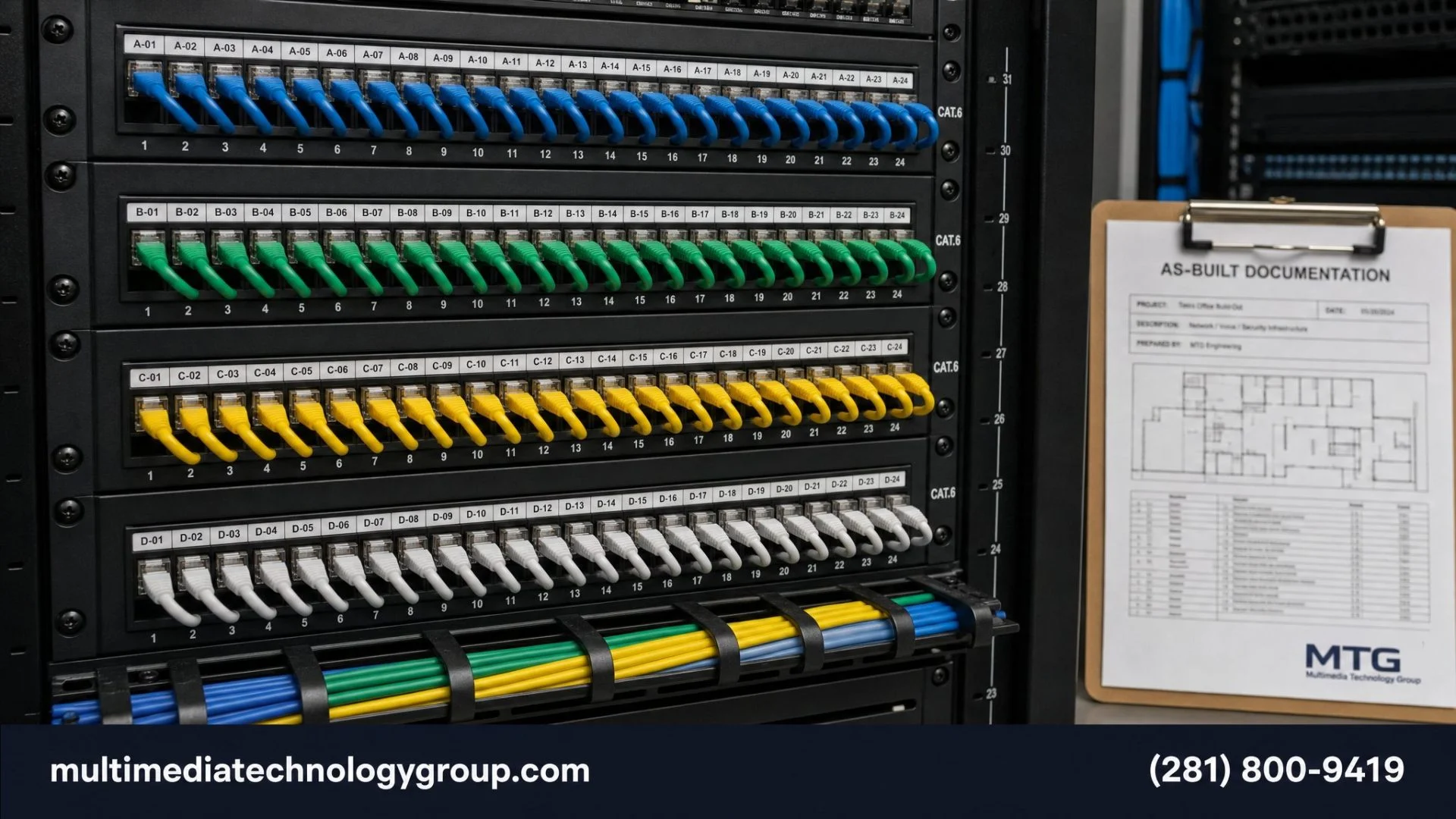
- As-built drawings showing every cable run, drop number, and patch panel port assignment
- Test results for every cable run (FLUKE or equivalent certification testing, showing pass/fail and performance data)
- Labeling scheme — every drop at the wall plate and every port on the patch panel should have matching, durable labels
- Warranty documentation — manufacturer’s extended warranties (Belden, Panduit, CommScope) are only valid with certified installation
Without this documentation, your IT team is troubleshooting blind. A professional installation leaves a clean, documented system that any future IT contractor can work with.
Plan It Right the First Time
Structured cabling is infrastructure. Like electrical or plumbing, it’s invisible when it works and expensive when it doesn’t. Texas office buildout timelines move fast — especially in Houston’s Energy Corridor, Austin’s tech corridors, and Dallas’s corporate campuses — and the window for getting the low-voltage work right is short.
Multimedia Technology Group’s network and cabling team works directly with general contractors and property managers to scope, install, and commission structured cabling systems for commercial buildouts across Texas. We provide written scopes, certified test results, and full as-built documentation on every project.
Schedule a pre-construction consultation before your walls close: Network Installation Services or call (281) 800-9419.
Frequently Asked Questions
How much does structured cabling cost for a Texas office buildout?
Per-drop costs typically run $150–$350 depending on cable type, run length, and building complexity. A 50-workstation office in Houston might budget $25,000–$50,000 for a complete Cat6A installation including patch panels, cable management, and documentation. Fiber backbone adds cost depending on distance and termination type.
Do I need a permit for structured cabling in Texas?
Low-voltage work in Texas requires a licensed contractor under TDLR. Permits vary by municipality and building type — your GC should clarify AHJ requirements early in the design phase. Don’t assume permits aren’t required; some Texas cities require them even for tenant improvements.
How long does structured cabling installation take?
A single-floor SMB buildout (25–50 drops) typically takes 3–5 days for installation plus 1–2 days for testing and documentation. Larger or multi-floor projects are scoped individually. Factor this into your GC timeline.
Can I add more drops later if I need them?
Yes, but it will cost significantly more. Post-occupancy adds require opening walls or running exposed conduit, both of which are expensive and disruptive. Over-building at rough-in stage — adding 20–30% more drops than you think you need — is almost always the better economic decision.
*Multimedia Technology Group serves commercial clients across Houston, Dallas, Austin, and San Antonio. Contact us to schedule a pre-construction consultation.*
☎ (281) 800-9419