
Houston Hedge Fund Standardizes 14 Conference Rooms
A downtown Houston hedge fund turned fourteen inconsistent conference rooms into one reliable, one-touch meeting experience with Microsoft Teams Rooms.
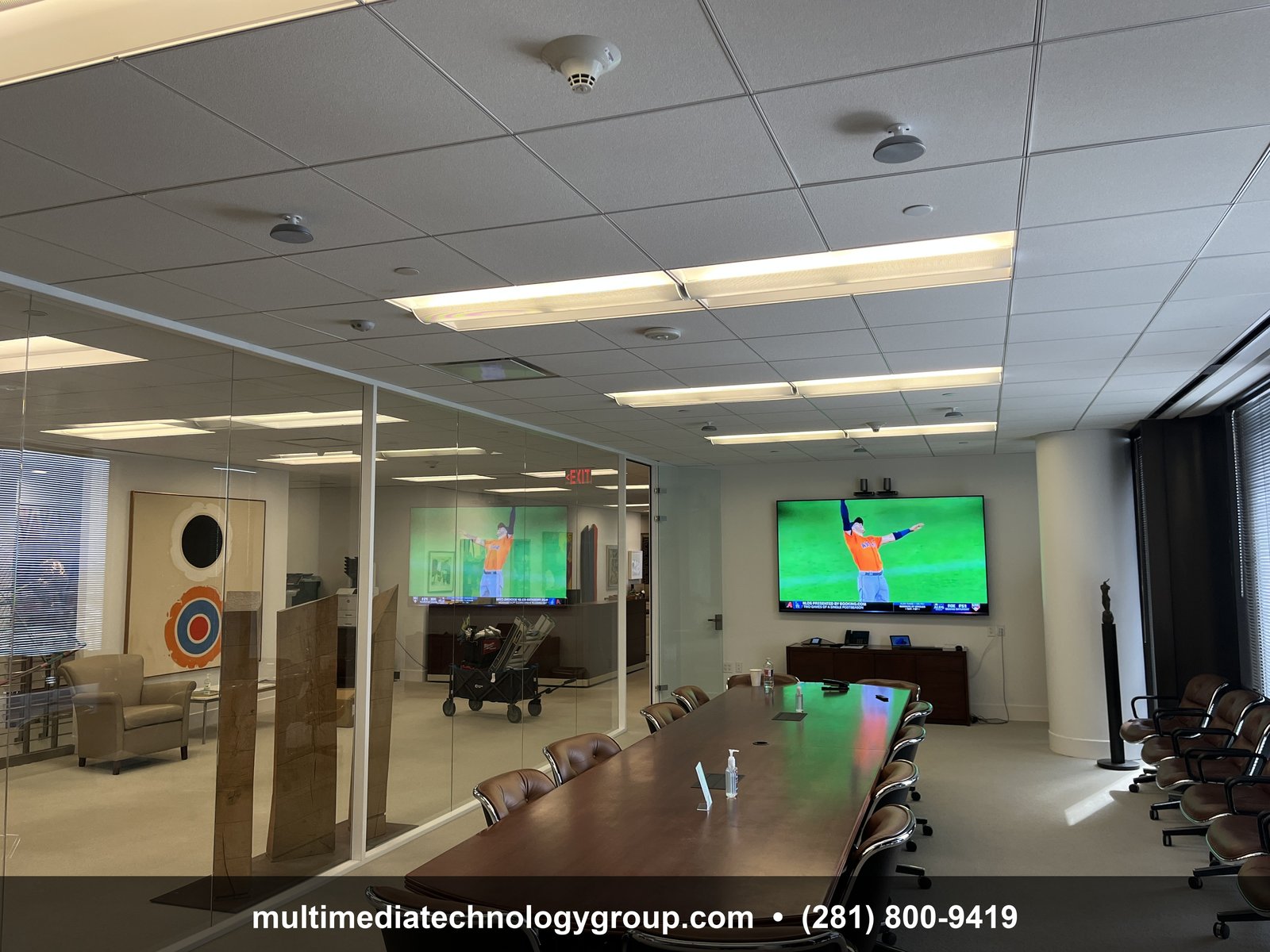
When a Houston hedge fund's conference rooms started costing it investor trust, the firm called Multimedia Technology Group. Fourteen rooms, four different vendors, and a new problem at the start of nearly every meeting. We standardized all of them on Microsoft Teams Rooms and rebuilt the network, control, and cabling underneath so the technology finally disappears into the background.
The Client
The firm is a Houston hedge fund with a main office in a downtown high-rise. Portfolio managers, analysts, and traders move between fourteen conference rooms, a large boardroom for investor presentations, and a handful of huddle spaces throughout the trading day. For a firm of its size, the conference room is not a convenience. It is where positions are discussed, research is reviewed, and investor capital is won or lost.
The Challenge
The firm had grown fast, and its conference rooms had grown in pieces. Over the years, rooms were added one at a time, each with whatever equipment was available that month. The result was fourteen rooms that looked similar from the hallway but worked completely differently inside.
Portfolio managers and analysts described the same daily frustration. The first ten minutes of every meeting were spent getting the room to work. Which remote do you use? Which input is the laptop on? Why is there no sound? Is the camera even on? In a business where a delayed decision can cost real money, ten minutes per meeting, across dozens of meetings a day, added up fast.
Hybrid meetings made it worse. When some participants were in the room and others were remote, the gaps became impossible to ignore. Remote investors could not hear everyone at the table. The camera stayed fixed on one wall while the speaker was on the other side. Audio dropped mid-sentence, and the whole room would fall silent while someone rebooted the system.
For a hedge fund the stakes run higher than most. A dropped call with an investor looks unprepared. A meeting that starts late can mean a missed market window. And confidentiality means the platform has to be secure, managed, and consistent across every room. The firm's IT team was spending hours each week on meeting-room support, pulling them away from the systems that actually move the firm's money.
The Solution
We proposed a single standard and rolled it out across all fourteen rooms. The goal was simple: every room should work the same way, and joining a meeting should take one touch.
Every room now runs Microsoft Teams Rooms on a dedicated appliance. This was the single most important decision. Instead of relying on laptops, cables, and dongles, the room itself joins the meeting. A user walks in, taps one button on the touch panel or the tabletop control, and the meeting is live. No adapters, no cables, no guesswork.
We installed 4K commercial displays in every room, sized to the room and the viewing distance. In the boardroom, we went larger with a wall-mounted display that keeps fine financial data and charts legible from the far end of a long table. Ceiling microphone arrays capture everyone at the table clearly, so remote participants hear the whole conversation instead of just whoever happens to be closest to a speakerphone.
PTZ cameras in each room track the active speaker automatically. When someone stands up or turns to a whiteboard, the camera follows, so remote participants see the right thing at the right time. For a hedge fund, where investor calls and market reviews happen over video, that clarity matters.
A control system ties each room together. One interface controls the display, the camera, the audio, and the meeting. The days of juggling three remotes ended the day we finished the rollout.
Underneath it all, we ran structured cabling and rebuilt the network. Each room has dedicated bandwidth, and the whole system sits on a managed network with the quality-of-service rules that video conferencing needs. We also added room scheduling panels outside every door, so teams can see at a glance which room is free and what is booked.
Finally, we added remote monitoring. The firm's IT team can now see the health of every room from one dashboard, receive alerts when something is degrading, and fix most issues before anyone in a meeting notices.
Technology Deployed
- Microsoft Teams Rooms appliances in all 14 rooms
- 4K commercial displays sized to each room
- Ceiling microphone arrays for full-table audio pickup
- PTZ cameras with automatic speaker tracking
- Centralized control system for one-touch joining
- Room scheduling panels at every door
- Structured cabling and a managed network backbone
- Remote monitoring and proactive alerting
The Results
Rooms Standardized
One consistent experience across every conference room.
Meeting Setup
Down from ten minutes of fumbling to a one-touch join.
Support Tickets
Meeting-room help-desk tickets fell sharply in the first quarter.
The results showed up within the first week. Meeting setup time dropped from ten minutes to under one minute. When a meeting is scheduled, the room is ready. When it is not scheduled, one tap starts it. Teams stopped arriving early to fight with the equipment.
Hybrid meetings are now stable. Remote participants report hearing everyone at the table clearly and seeing the active speaker. The PTZ cameras and ceiling microphones removed the two biggest complaints from the old system.
Meeting-room support tickets fell sharply in the first quarter. The IT team went from spending hours each week on conference rooms to spending minutes, and most of what remains is handled remotely through the monitoring dashboard.
The standardization also changed how the firm grows. When the firm added a fifteenth room in a new suite, we deployed the same template in days instead of weeks. The firm now has a repeatable standard it can roll out to any future office.
Most important, the technology disappeared into the background. Meetings start on time, remote and in-room participants hear and see each other clearly, and no one thinks about the AV anymore. For a hedge fund, that is the entire point.
The Process
Every rollout starts with a walk-through. We sat with the firm's office manager and IT lead, walked all fourteen rooms, and documented what each one had, what was broken, and how it was actually used. That inventory drove the design.
From there we built one room as the reference standard and got sign-off before touching the other thirteen. That kept the project predictable and let the firm see exactly what it was getting before we committed to the full rollout.
Deployment happened in phases, so the firm never lost more than a few rooms at a time. We worked after hours to avoid interrupting the trading day, and each room was commissioned and tested before it went live. When we handed a room back, it worked on the first meeting, not the third.
The last step was training. We walked the portfolio managers and analysts through the new one-touch flow, left clear one-page instructions in each room, and handed the IT team the monitoring dashboard so they could manage everything going forward.
Security and Confidentiality
For a hedge fund, security was a condition, not a feature. Microsoft Teams Rooms runs on a managed platform that uses the firm's existing identity and access controls, so only authorized users can join and present. The network was segmented so meeting-room traffic stays separate from the firm's trading and research systems, and remote monitoring runs over a secure connection.
Confidentiality was never something we had to bolt on after the fact. It was designed in from the first walk-through, and it is one of the reasons the firm's IT and compliance teams were comfortable handing the rollout to us.
Beyond the Conference Room
The same standard extended beyond the fourteen conference rooms. The boardroom got a larger display and an upgraded microphone system tuned for the long table and the high ceilings of a downtown high-rise. The huddle spaces, where teams jump into quick calls between market sessions, got the same one-touch flow on a smaller scale.
Because every space now runs on the same platform and the same control template, the firm's staff moves between rooms without relearning anything. A portfolio manager who has used one room has used them all. That consistency is what turns a collection of rooms into a single system, and it is why the firm can keep adding spaces without starting over.
Why It Worked
The project succeeded because we treated the conference room as a system, not a collection of devices. The display, the audio, the camera, the control, and the network all had to work together. Standardizing on Microsoft Teams Rooms gave every room the same baseline, and building the network and cabling properly gave that baseline room to breathe.
The other factor was the template. By designing one room once and replicating it, we removed the variation that caused the original problems. Every room behaves the same, every user knows what to expect, and support becomes predictable instead of reactive.
The bottom line for the firm is simple. It no longer thinks about its conference rooms, and that was always the goal. When a Houston hedge fund can walk into any room, join an investor call in one touch, and know that the people on the other end can hear and see everything clearly, the AV system has done its job. The rooms now support the team instead of working against it.
Listen to this case study
Watch the video